
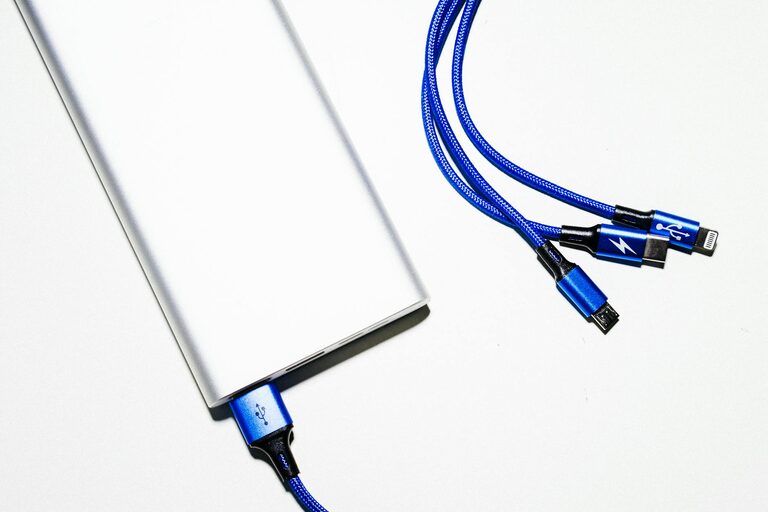
Setting up a dedicated charging station for your devices can simplify your daily life by keeping everything powered and organized in one convenient location. Whether you’re charging smartphones, tablets, laptops, or wireless headphones, a well-planned charging station helps reduce clutter and improves accessibility. In this post, we’ll walk you through the steps to create a practical and stylish charging hub suitable for any room in your home or office.
Why You Need a Charging Station
With the number of gadgets we rely on each day, charging cords and adapters can quickly become a tangled mess. A charging station helps by:
– Consolidating charging points to one area
– Reducing clutter and lost cables
– Preventing devices from piling up in random spots
– Enhancing convenience with easy access
– Protecting devices from accidental damage
Choosing the Right Location
Picking the right spot for your charging station is the first step. Common locations include:
– Kitchen counter or breakfast nook: Central and high-traffic.
– Home office: Close to your workspace for easy access.
– Living room: Near sofas or entertainment centers.
– Bedroom nightstand: For overnight charging.
Look for a location near power outlets and free of moisture or extreme heat.
Essential Items for Your Charging Station
Before assembling, gather these key items:
– Multi-port USB charger or power strip: Allows multiple devices to charge at once.
– Charging cables: Various types (USB-C, Lightning, Micro-USB) matching your devices.
– Charging dock or stand: Keeps devices upright and visible.
– Cable organizer: Clips, sleeves, or boxes to manage cords.
– Storage container or tray: Holds small gadgets or accessories.
– Labeling materials (optional): To identify cables and plugs.
Step-by-Step Setup Guide
1. Clear and Clean the Area
Start by removing any items from your chosen spot. Wipe down surfaces to keep everything tidy and hygienic.
2. Test Your Power Source
Make sure the power outlet can handle the load of multiple devices charging simultaneously. Opt for a surge protector to safeguard your electronics.
3. Arrange Your Charger and Cables
Place your multi-port charger or power strip in the area. Connect it to the power outlet. Sort your cables by type and length, then plug them into the charger.
4. Organize Cables
Use cable clips or loops to keep cords separated and prevent tangling. Consider attaching clips along the edge of the table or wall for neat guidance.
5. Add Device Holders or Stands
Place charging docks or stands to hold devices upright. This prevents them from sliding around and allows easy checking of screen notifications.
6. Use a Tray or Container for Accessories
Keep small items like wireless earbuds, charging bricks, and adapters together in a small container or tray nearby.
7. Label Cables and Ports (Optional)
To avoid confusion, use small labels to indicate which cable belongs to which device or what kind of connector it is.
Tips for Maintaining Your Charging Station
– Regularly declutter by removing unused cables and devices.
– Check cables and chargers for any signs of wear and replace as needed.
– Keep the area dust-free to prevent overheating of devices.
– Limit charging to devices you use frequently to maximize space.
– Consider adding a small timer outlet to reduce power consumption when devices are fully charged.
Stylish and Functional Charging Station Ideas
If you want your charging station to blend with your décor, try:
– Using decorative baskets or boxes to hide cables.
– Placing the station inside a drawer with a small hole for cables.
– Building custom furniture with concealed charging ports.
– Decorating with plants or photo frames to soften the tech look.
Benefits Beyond Convenience
A dedicated charging station not only keeps devices powered but can also:
– Reduce stress caused by messy cords and searching for chargers.
– Increase the lifespan of your cables due to less wear.
– Promote better charging habits, such as overnight charging.
– Provide a centralized location to control device usage.
Final Thoughts
Setting up a charging station is a simple project that can make a big difference in your daily routine. By choosing the right location and organizing your charging equipment thoughtfully, you create an efficient, clutter-free space for all your devices. Whether you’re tech-savvy or just want to tidy up, this setup makes charging easier and more enjoyable.
Give these steps a try and enjoy the benefits of a neat and accessible charging station!